

 View without an account
 Temporary workspace
Need to open an IPT file without Autodesk Inventor? Upload the part, inspect the converted geometry and dimensions, and use a ZIP for IAM assemblies with referenced components. The viewer is for inspection and neutral conversion, not native feature editing.
Open an IPT file online
Upload the Autodesk Inventor IPT part and wait for the temporary workspace to process it. Rotate the model, fit the view and check overall dimensions. Verify one known size before using calculated properties.
Inspect IAM assemblies with their references
IAM files can depend on IPT parts and nested assemblies. Preserve the relative folder structure inside a ZIP and choose the intended top-level assembly when required. Missing references produce a partial-result warning.
Check geometry and units before using mass
Volume and surface area describe the loaded converted geometry. Mass additionally depends on the density you choose. Do not assume a browser viewer has recovered the original Inventor material definition or manufacturing tolerance.
Use STEP for a neutral downstream handoff
If the recipient does not use Inventor, convert the supported model to STEP and verify the result. Keep the native IPT/IAM source when future parametric editing matters.
Treat native-version support as a compatibility check
Inventor save versions and model complexity vary. If an IPT or IAM cannot be read, keep the original unchanged and ask the sender for the source release or a fresh STEP export rather than renaming the file.
Exact and approximate results
IPT parts give exact properties and exact STEP only when their B-Rep is read completely. IAM assemblies are shown from the display geometry Inventor saved, with approximate properties, and export as mesh STEP. Files saved without display geometry show their saved thumbnail.
Input formats: IPT / IAM
General steps for uploading, viewing, sectioning, measuring, converting and exporting are explained once in How it works. This page covers what is specific to this file type.
Real CADProps screenshots
The screenshots show the English interface. Captions and instructions describe the same operations.
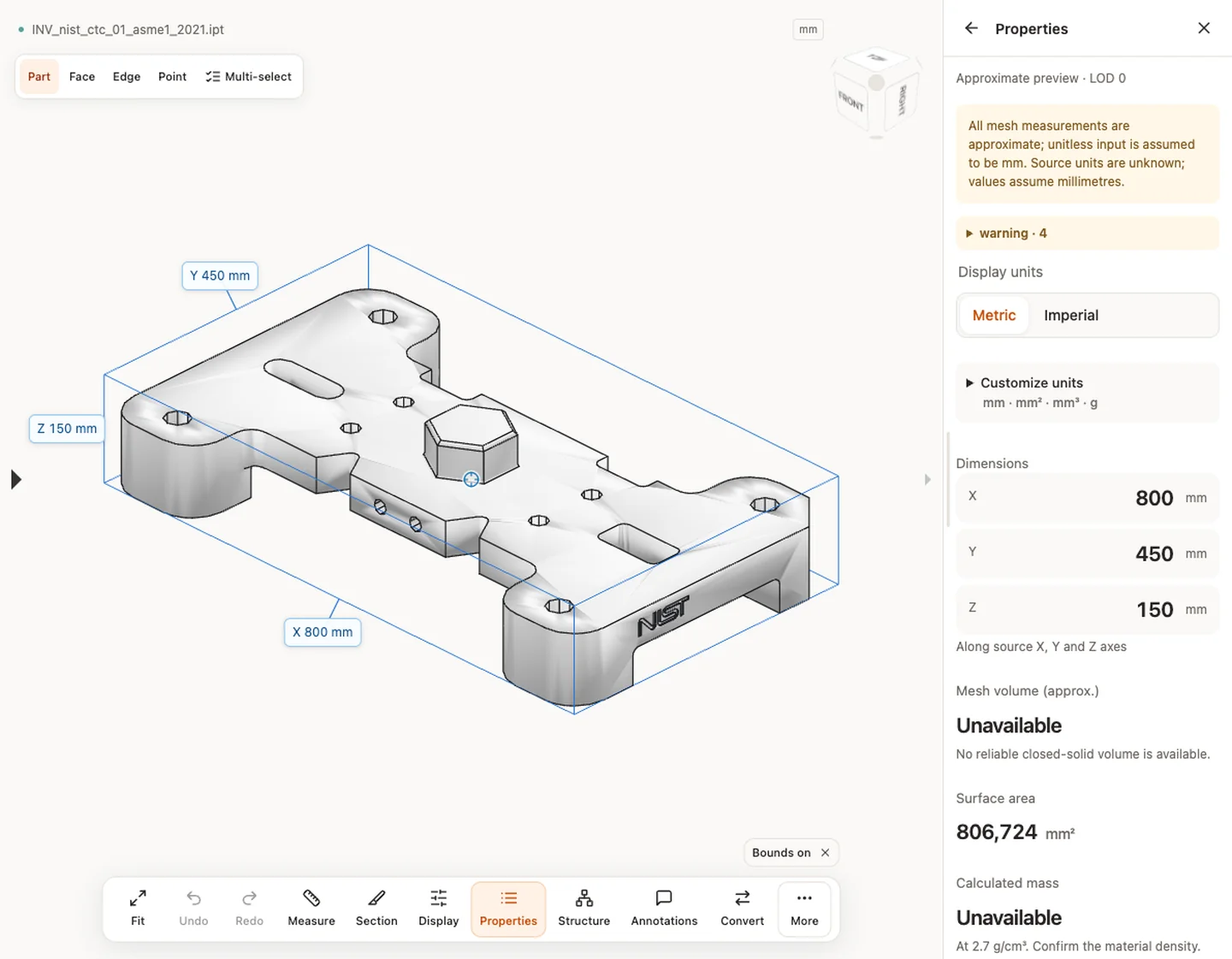
Sample source and verification
When a result needs another check
Viewing can start without an account. Conversion, account storage and share creation require signing in. Temporary files expire after the displayed retention period. Read the privacy statement for server processing and deletion, and the accuracy notes before using numerical results. Do not assume that hiding a part, clipping it or exploding an assembly changes the exported source geometry.
When a result needs another check · Input formats
Continue with a related task
- IPT to STEP Converter Online: Autodesk Inventor Parts & IAM
- STEP Viewer Online: Open STP Files & Measure CAD
- STEP File Dimensions Online: Measure X, Y, Z & Distances
For fast part and assembly viewing, see Fast CAD viewing with CADProps, with real model examples and loading times.
Original article: CADProps · https://www.cadprops.com/tools/inventor-viewer/
